Building a Rate Limiter with Cloudflare Durable Objects
Mar 13, 2025
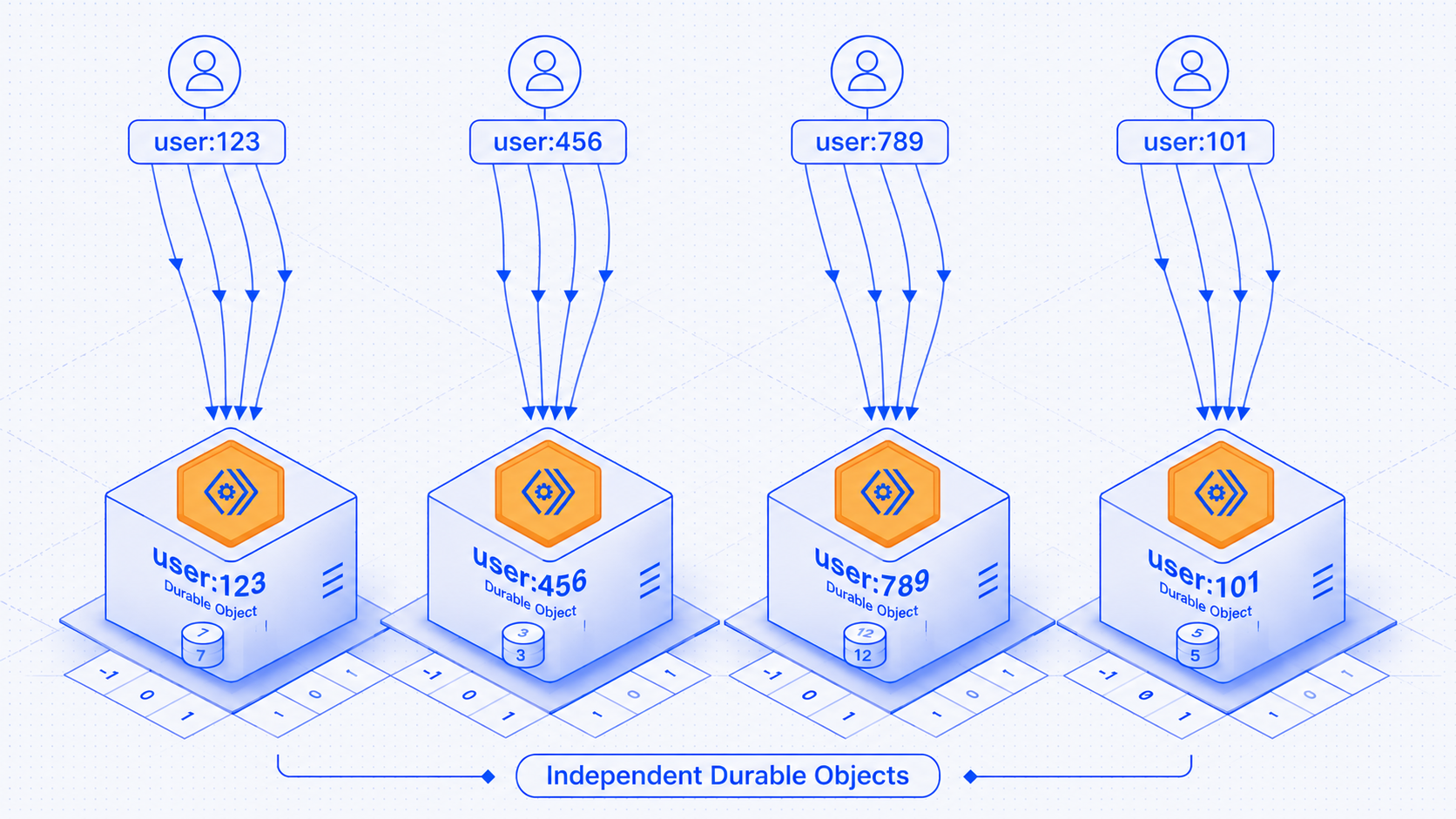
What does a Rate Limiter helps in?
A rate limiter controls how many requests a client can make within a specific timeframe. It acts like a traffic controller for your API.
1. Request comes in
2. You check if this client has room left
3. If yes, let it through
4. If no, return 429
Rate limiters prevent abuse, protect your servers from being overwhelmed by bursts of traffic, and ensure fair usage across all users.
Now, search “how to build a rate limiter?” and you’ll land on the same handful of patterns, over and over, because Redis has had a decade long head start as the default answer.
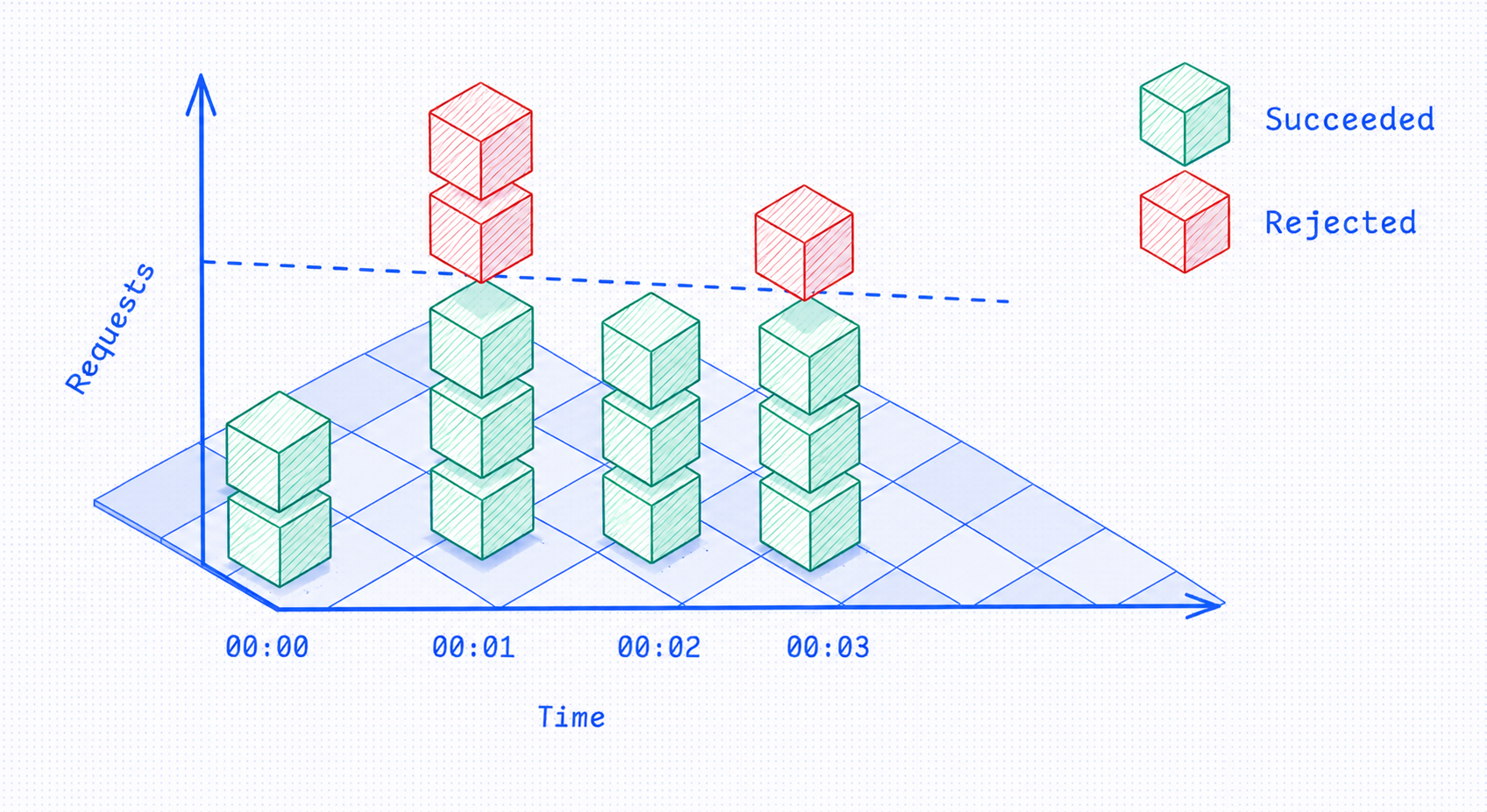
- Fixed Window Counter: The simplest approach divides time into fixed windows and counts requests in each window. For each user, we’d maintain a counter that resets to zero at the start of each new window. If the counter exceeds the limit during a window, reject new requests until the window resets.
For example, with a 100 requests/minute limit, you might have windows from 12:00:00-12:00:59, 12:01:00-12:01:59, etc. A user can make 100 requests during each window, then must wait for the next window to start.
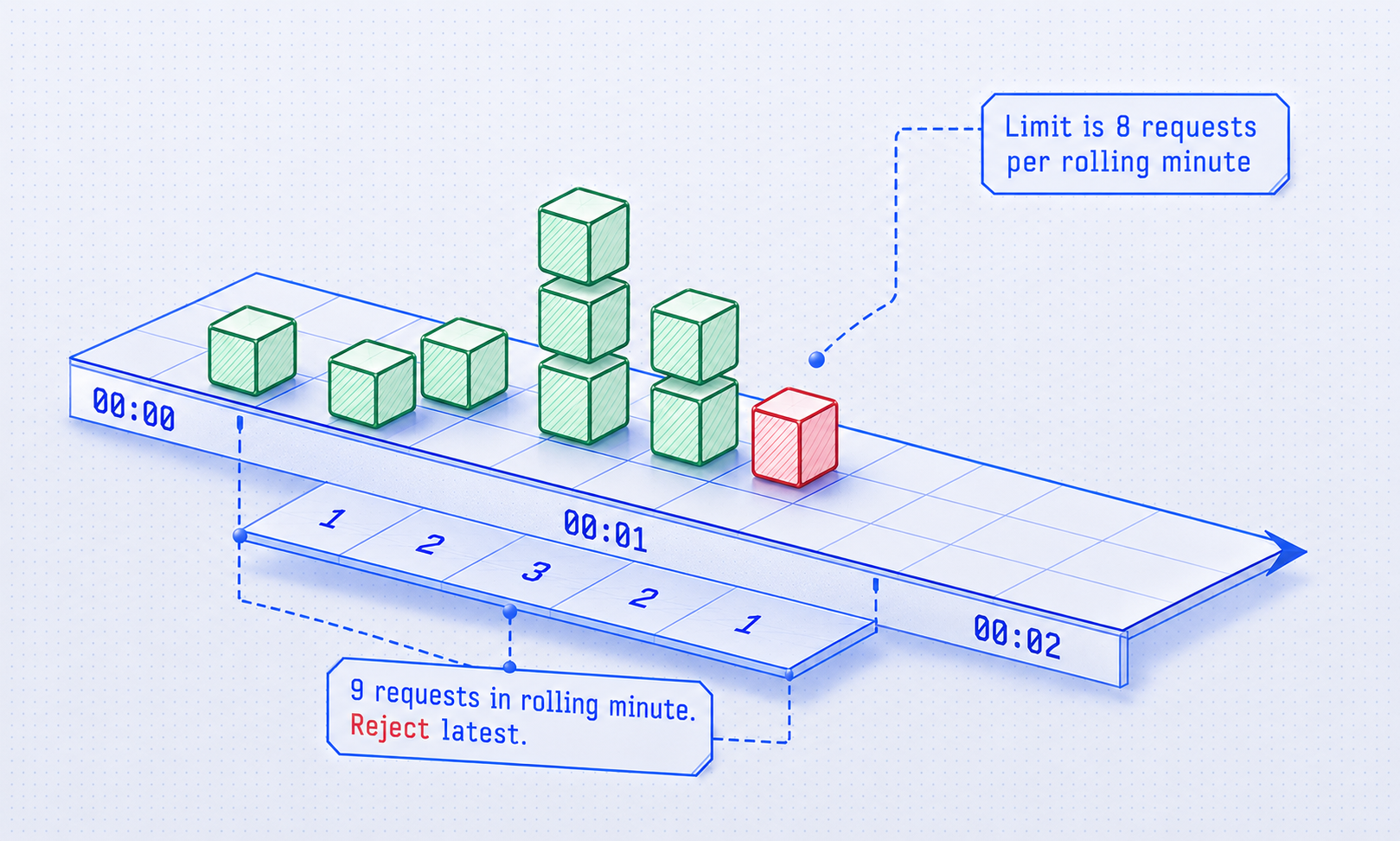
- Sliding Window Log: This algorithm keeps a log of individual request timestamps for each user. When a new request arrives, you remove all timestamps older than your window, then check if the remaining count exceeds your limit.
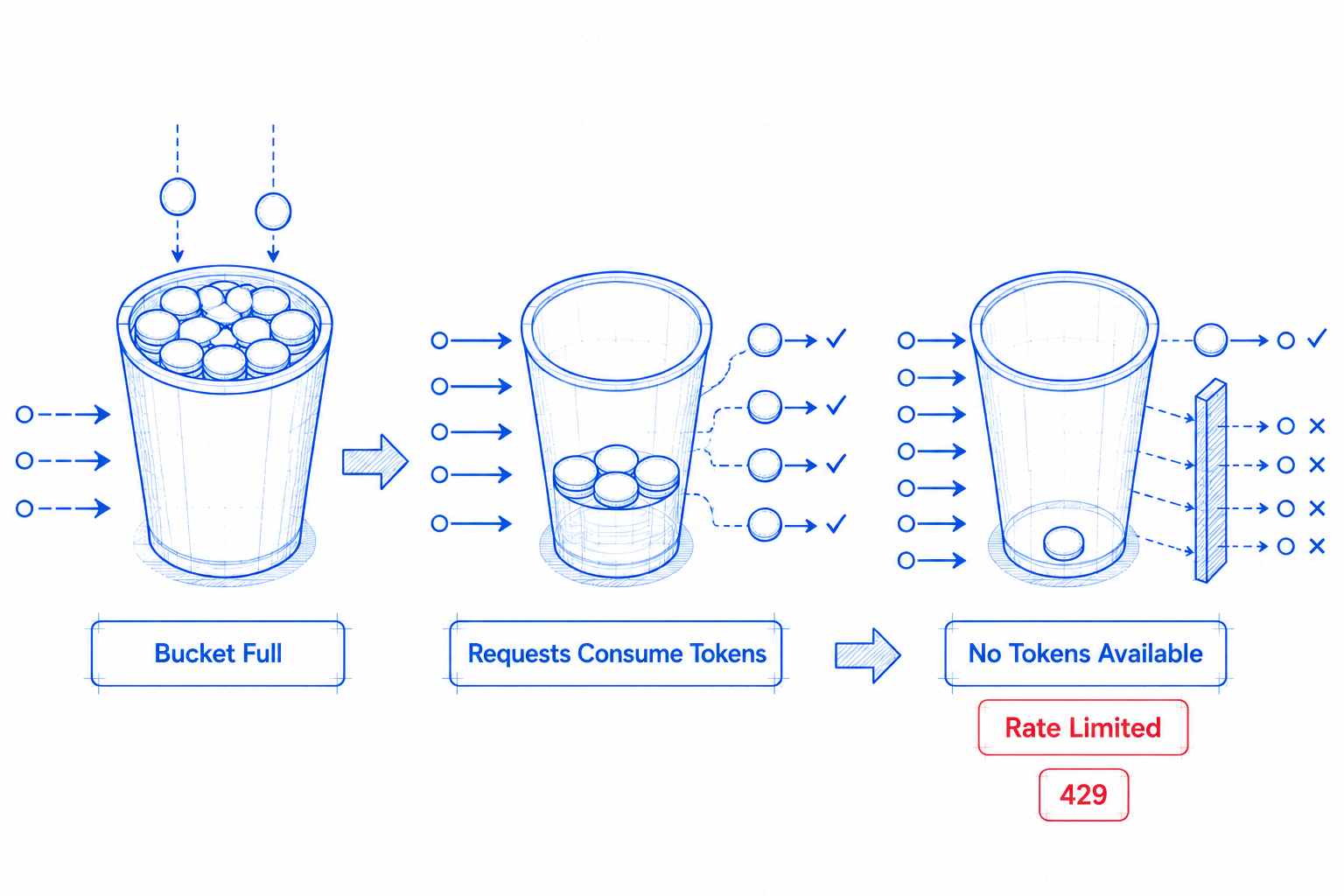
- Token Bucket: Think of each client having a bucket that can hold a certain number of tokens (the burst capacity). Tokens are added to the bucket at a steady rate (the refill rate). Each request consumes one token. If there are no tokens available, the request is rejected.
For example, a bucket might hold 100 tokens (allowing bursts up to 100 requests) and refill at 10 tokens per minute (steady rate of 10 requests/minute). A client can make 100 requests immediately, then must wait for tokens to refill.
There’s an entire library ecosystem built around this rate-limiter-flexible, Redis’s own redis-developer/redis-ratelimiting-js, half a dozen framework-specific middlewares for Express and NestJS. It’s not that this pattern is wrong, it’s that it’s the only pattern most people are ever shown.
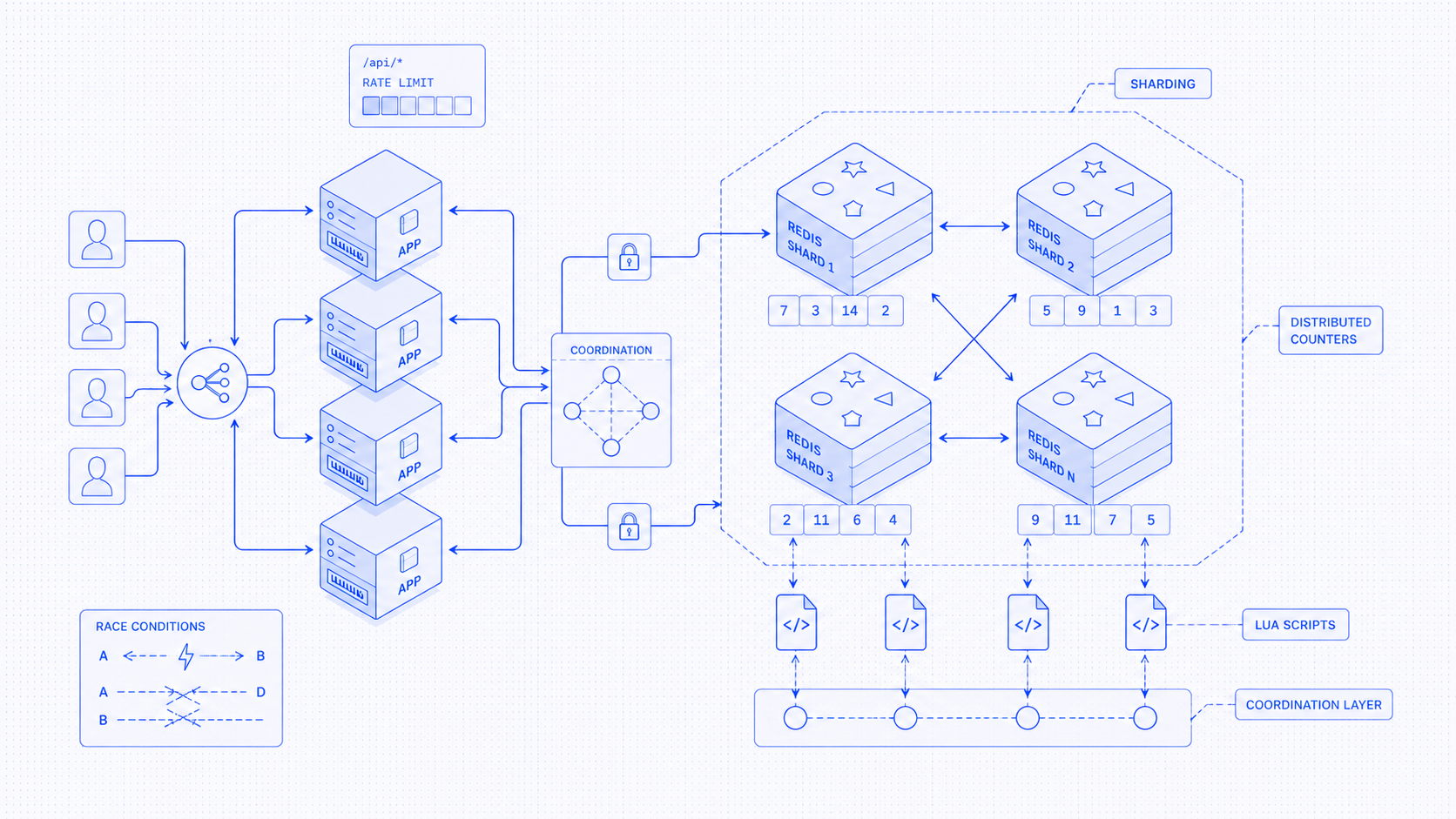
Problems in Redis:
-
Build atomicity yourself in the Redis
- Redis doesn’t know that “read the value, change it, save it back” supposed to happen as one single step.
- When two requests happen at same time they both can read the same number, both think they’re allowed, and both write back the same result.
- To fix this problem you have to send Redis a small script, that does the whole read-decide-write in one go, so nothing can slip in between the steps.
- So, you end up writing a second program just to fix this.
-
One Redis server isn’t enough
- A single Redis server tops out around
100,000-200,000operations a second. - A rate-limit check needs at least one read and one write, so realistically one server handles maybe 50,000 checks per second.
- So, you need Redis Cluster and thousands of hash slots, consistent hashing, and routing rules to make sure the same user’s data always lands on the same shard.
- A single Redis server tops out around
-
Location becomes your problem
- Redis lives in one place due to which a user in Tokyo talking to a Redis server in Virginia pays for that long round trip on every single request.
- So, you copy your data into other regions, set up backup servers, and now you have to decide what happens if a server goes down.
Right now you are asking: “How do we let many servers safely share one counter?”
Rate Limiters with Durable Objects
Let’s ask this question: “What if every user had their own tiny counter and present every where in world?”
A Durable Object is a single instance of a class, with its own private storage and Cloudflare guarantees exists exactly once. The detail that matters most that it only ever does one thing at a time. For any given object, there’s exactly one copy running, and it handles one request at a time. No two requests can ever step on each other, by design it so, it solve all of our above problems.
Building this comes down to three steps:
Step#1: name the object
If you’ve used Redis before, you might think in terms of keys, shards, and partitions. A key gets stored somewhere in the Redis cluster and Redis figures out which machine is responsible for it.
With Durable Objects, you don’t think about shards, partitions… Instead, you give Cloudflare a name:
const id = RATE_LIMITER_DO.idFromName(doIdString);
const stub = RATE_LIMITER_DO.get(id);
The important part is idFromName(). Think of it as a function that turns a name into a unique Durable Object. If you give it the same name, it will always point to the same object.
For example:
env.RATE_LIMITER_DO.idFromName(`user:123`)
Every time this code runs, Cloudflare returns the ID of the same Durable Object. That means every request for user:123 gets routed to the same object, regardless of where the request comes from. One request might originate in New York, another in Singapore, and a third in London, but they will all end up talking to the same Durable Object for user:123.
As a result, deciding which rate limiter handles a request becomes a simple naming problem:
- One rate limiter per user → “user:123”
- One rate limiter per API key → “apikey:abc”
- One rate limiter per tenant → “tenant:acme”
- One global rate limiter for everyone → “global”
Step #2: Let Cloudflare Find the Object
After you’ve chosen a name and created an ID, the next step is getting access to the object:
const id = env.RATE_LIMITER_DO.idFromName("user:123");
const limiter = env.RATE_LIMITER_DO.get(id);
In a traditional distributed system, you often have to think about where your data lives. Which Redis shard owns this key? Which region should handle this request? How do I route traffic to the correct server?
With Durable Objects, you don’t think about any of that.
You simply call:
const limiter = env.RATE_LIMITER_DO.get(id);
and Cloudflare finds the object for you. If the object already exists, Cloudflare routes the request to it. If it doesn’t exist yet, Cloudflare creates it automatically.
If most requests for "user:123" come from Europe, Cloudflare will generally keep that object’s execution close to Europe.
You don’t deploy regional Redis clusters or manually decide where state should be placed. Cloudflare handles the placement automatically.
Step #3: Talk to the Object Directly
Once you’ve found the right Durable Object, you can ask it whether a request should be allowed.
Modern Durable Objects support RPC (Remote Procedure Calls), which means you can call methods on the object almost as if it were a local JavaScript object.
The rate-limiting algorithm isn’t new it’s all same as Fixed windows, sliding windows, and token buckets but we do it in DO.
For example:
const result = await limiter.getRequestRateLimit({
  entityType,
  limit,
  window,
});
The method runs inside the Durable Object and returns information about the rate limit:
{
  success: true,
  limit: 100,
  remaining: 42,
  reset: 1712345678
}
If you’ve built distributed systems before, this might feel surprisingly simple You’re not sending Redis commands. You’re not implementing retry loops.
You’re simply calling a method and letting the object handle the logic.
await limiter.getRequestRateLimit(...)
Once all requests for a user are routed to the same Durable Object, implementing the rate limiter becomes surprisingly simple.
A rate limiter usually needs to:
- Read the current counter
- Decide whether the request is allowed
- Update the counter
- Save the new state
Suppose we want to allow 100 requests per minute.
{
    count: 42,
    windowStart: 1712345600
}
Every incoming request does the following:
1. Load the current state.
2. Check whether the current minute window has expired.
3. If the window has expired, reset the counter to zero.
4. If the counter is below the limit, increment it and allow the request.
5. Otherwise, reject the request with a 429 Too Many Requests.
Final Thoughts
With Redis, the counter lives in a shared database that many application servers talk to simultaneously. As traffic grows, you start facing problems.
Durable Objects start with a different idea instead of many servers sharing one counter, give each user their own counter.
Every user gets their own Durable Object for Rate Limiting:
user:123 → Durable Object A
user:456 → Durable Object B
user:789 → Durable Object C
At last, let’s actually do the math for 1 million users:
All of the above is just architecture talk. let’s run real numbers using Cloudflare’s pricing for Durable Objects comparing it with Redis options like Upstash (pay-per-request) and AWS ElastiCache (rent a fixed server).
Pricing model
| Option | Pricing model |
|---|---|
| Cloudflare Durable Objects | Pay for requests + active compute time + storage reads/writes |
| Upstash Redis | Pay per Redis command |
| AWS ElastiCache | Fixed server rental (paid 24/7, regardless of usage) |
Drag the slider to see how the cheapest option shifts as you scale:
Rate-limit cost by scale
Estimated monthly cost across providers