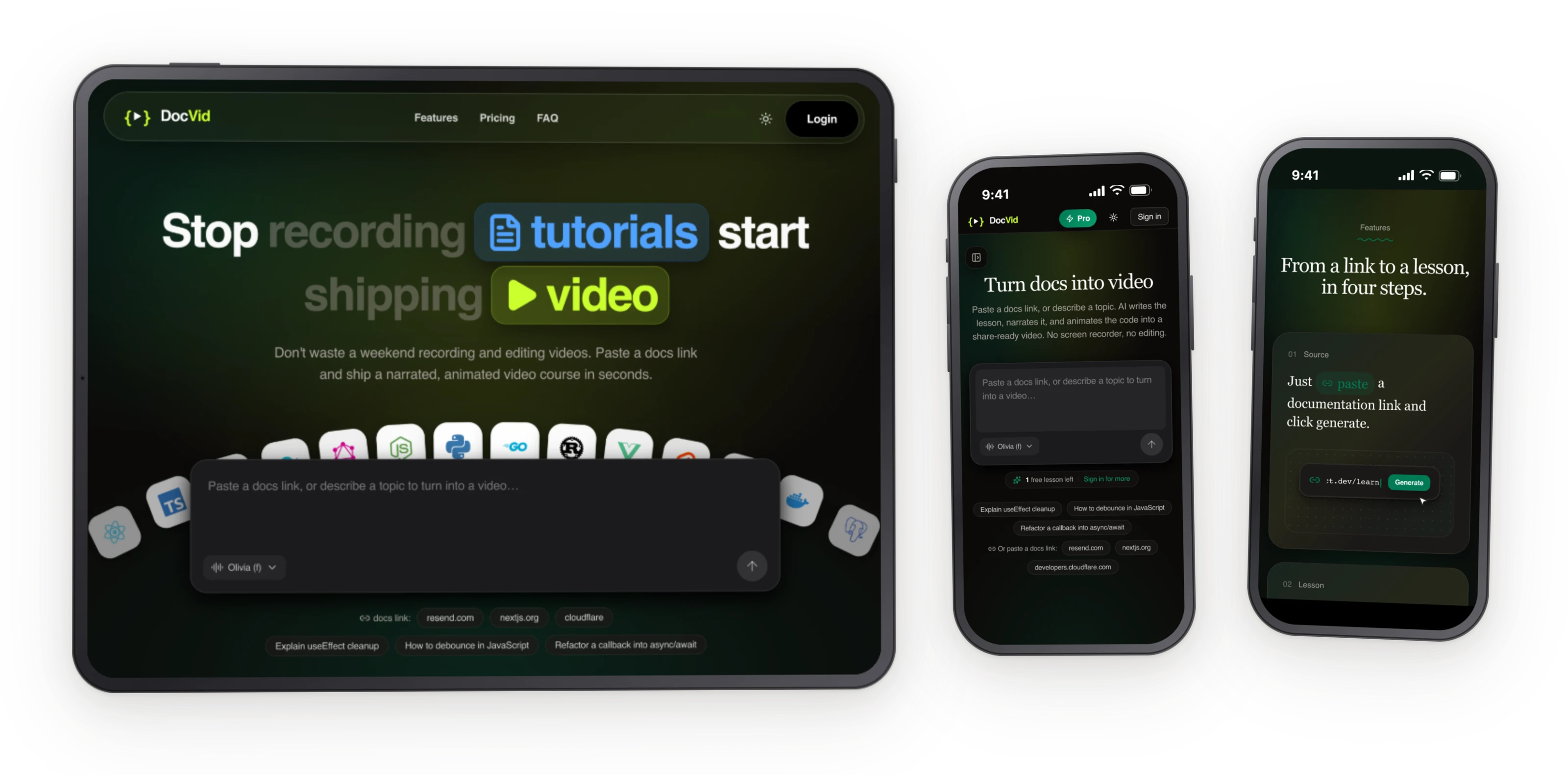
Documentation is the most underrated growth lever in developer tools. A great README can 10x your adoption, but writing one that actually teaches, with step-by-step instructions, working code snippets, and clear explanations, is hard. Most docs are reference manuals dressed up as tutorials.
DocVid turns the problem around. Instead of writing docs, you describe what you want to teach. Paste a documentation URL, a prompt, or a GitHub repo, and DocVid generates a full narrated, animated code lesson. It writes a step-by-step walkthrough, crafts a narration script, voices it with text-to-speech, and produces an animated code walkthrough synced to the audio. The result is an embeddable video you can share, export, or drop into your README.
The architecture is a pnpm + Turborepo monorepo with three deployable packages. The web app (Next.js, deployed via OpenNext to Cloudflare) provides the UI and API routes. An AI worker (Cloudflare Worker with Workers AI, Workflows, KV, and R2) handles the heavy lifting: lesson generation, narration script writing, and TTS synthesis. A payments worker handles Dodo Payments checkout and webhooks. The shared package provides types and validation across all workspaces.
The key design choice was splitting AI inference into its own worker. Lesson generation with LLMs can take 10-30 seconds, and tying up a web server request for that long is a non-starter. By routing generation through a Cloudflare Worker with Workflows, the UI can return immediately, poll for progress, and stream results as they're ready. This also makes the system resilient to AI provider failures, if one model times out, the workflow retries with a fallback.
For the text-to-speech pipeline, DocVid generates a narration script first, then synthesizes it in chunks, and finally timestamps each sentence so the code animation can sync precisely with the audio. The timing alignment between spoken narration and visual code actions is the hardest technical problem, and solving it well is what separates DocVid from a screen recording with voiceover.
Built with
Links
Features
- AI-powered lesson generation, paste a docs URL or describe what you want to teach, and DocVid writes a full step-by-step code lesson
- Narrated code walkthrough, auto-generated narration script with text-to-speech, synced to animated code actions
- Monorepo architecture, pnpm + Turborepo with separate web, AI worker, and payments worker packages
- Cloudflare AI pipeline, Workers AI for LLM inference, Workflows for long-running generation, KV for state, R2 for assets
- Resilient generation, automatic retry with model fallback if AI providers time out or fail
- Precise audio-code sync, sentence-level timestamps align spoken narration with visual code animations
- Embeddable output, export as video or embed directly into READMEs and documentation sites
Challenges
The hardest technical problem was aligning spoken narration with code animation at the sentence level. Text-to-speech is variable, the same sentence takes different durations depending on context, punctuation, and the TTS model. DocVid solves this by generating the narration script first, then synthesizing audio in chunks with timestamps, and finally mapping each code action to a specific timestamp range. If the alignment is off by even a second, the result feels disjointed. Getting this pipeline robust required building a timing buffer system that can stretch or compress pauses between sentences to maintain sync.
What I learned
DocVid taught me that AI-generated content is only as good as the structure you impose on it. Raw LLM output for a code lesson is rambling and unstructured. But if you first define a strict lesson schema (objective → setup → steps → recap), and have the LLM fill in each section with character limits and formatting rules, the output is dramatically better. The AI doesn't need to be creative, it needs to be constrained. The structure is what makes the output useful.